


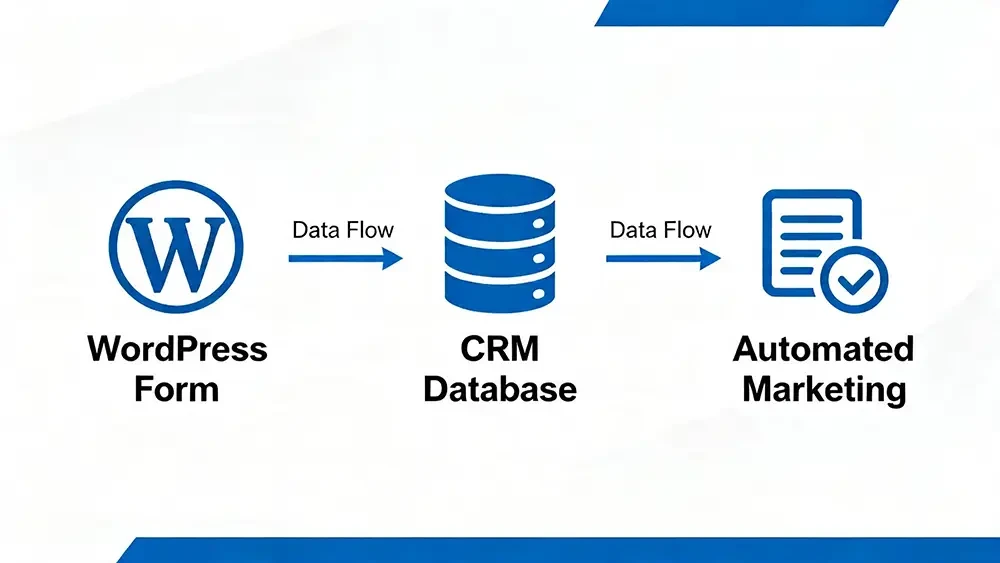
Many businesses rely on WordPress forms to capture leads but fail to connect them to a structured CRM and automation system. This disconnect is a primary source of missed leads, delayed follow-ups, and lost opportunities. Connecting WordPress forms to CRM and automation is essential for building a reliable lead generation system.
By implementing a direct form-to-CRM integration, you establish a seamless data flow that powers your entire lead management process. Clean data, structured automation workflows, and clear CRM connectivity are the logic that drives consistency, efficiency, and scalable growth, turning your website from a simple brochure into a powerful lead generation machine, ensuring lead capture forms work flawlessly on any smartphone or tablet.
In this article, you will learn why businesses that invest in connecting WordPress forms to CRM and automation, create a seamless flow from initial inquiry to conversion. This ensures that every opportunity is captured and managed effectively to yield the best possible results.
Key Takeaways
- Why form-to-CRM integration and clean data flow are foundational to effective CRM and automation.
- How manual data entry and disconnected systems lead to delayed follow-ups and inconsistent communication.
- How webhooks, API integrations, and CRM tagging enable precise segmentation, automated email workflows, and timely follow-up.
- Why your CRM’s structure and lifecycle triggers directly determine lead quality, attribution accuracy, and conversion outcomes.
Why This Concept Matters
A Customer Relationship Management (CRM) system acts as the operational backbone for your marketing, sales, and customer retention efforts. It’s the central hub where all customer interactions are tracked and managed. However, a CRM is only as good as the data it contains. Without a clean, automated data flow from your WordPress forms, your automation efforts will fail.
Intentional system design ensures that every lead is captured, routed correctly, and entered into a workflow, eliminating the manual errors and delays that kill conversions. Another advantage in connecting WordPress forms to CRM and automation is the elimination of manual tasks and the creation of a consistent, trackable lead management process.
Real-World Example
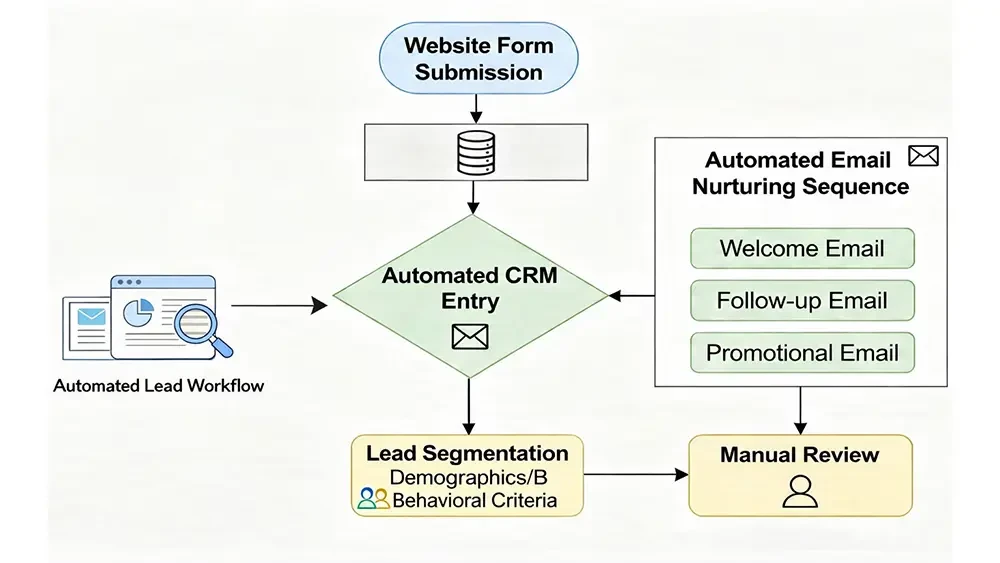
A local business collects leads through multiple website forms, but each submission requires manual entry into a CRM. This process is slow and prone to errors. As a result, follow-ups are inconsistent, and many promising leads go cold before a salesperson can even reach out. After implementing a direct integration between their forms, CRM, and automation workflows, leads are instantly captured, segmented by interest, and nurtured with automated emails.
This change restores visibility into their pipeline, improves efficiency, and results in faster response times and significantly higher conversion rates. This directly supports consistent business data and optimized Google Business Profile signals that drive local search visibility and qualified leads. This is especially the case for businesses targeting local markets.
Common Mistakes
The most common mistake is relying on manual lead entry, which is inefficient and unreliable. Other significant errors include using disconnected tools that don’t communicate, having no automation triggers set up for new leads, and implementing a poor tagging structure that makes segmentation impossible. Many businesses also delay follow-up, not realizing that speed is critical in converting a new lead. An over-reliance on simple email notifications without a true workflow logic and failing to capture quality leads from mobile users are other critical missteps that undermine lead generation efforts.
What You Should Aim For
Your goal is to create a seamless and scalable lead management system. Success looks like this:
- Centralized, clean customer data: All lead information is captured automatically and stored in one place.
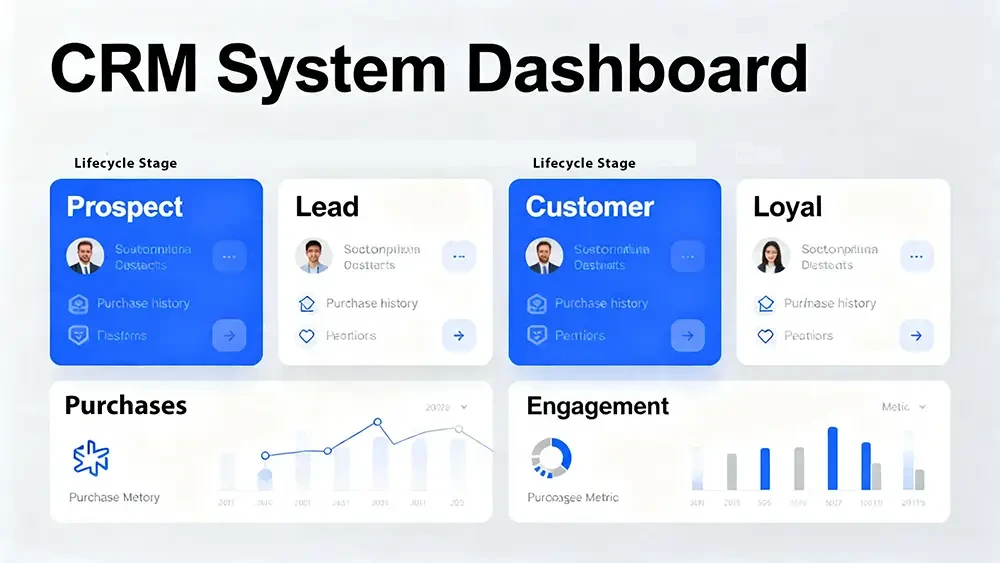
- Clearly defined lifecycle stages: You can track a lead’s journey from inquiry to customer.
- Automation aligned to intent and behavior: Follow-up is triggered instantly based on the form submitted or the lead’s actions.
- Consistent follow-up and attribution: Every lead receives a timely response, and you know which marketing efforts are working.
- Scalable workflows without manual overhead: Your system can handle growth without requiring more manual work. Ultimately, businesses that get this right will benefit from a mobile-friendly responsive web design that feeds a powerful, automated backend.
Supporting Data & Research
Industry principles consistently show that speed-to-lead is one of the most critical factors in conversion. Businesses that follow up with online leads within five minutes are significantly more likely to convert them. Automation makes this possible. Furthermore, maintaining high data hygiene—ensuring your CRM data is accurate, complete, and free of duplicates—is essential for effective segmentation and personalization.
Structured data not only improves your internal workflows but is also crucial for making your business data explicit for AI engines like Google, which increasingly rely on clear signals to understand and rank content. Structured data is crucial for enabling entity-based content that improves AI search visibility and answer engine recognition which can lead to direct recommendations for your business by Google and ultimately increase leads and conversions.
Effective lifecycle management, powered by automation, allows businesses to nurture leads over time, maximizing the value of every inquiry.
Frequently Asked Questions
How do I connect my WordPress form to a CRM?
You can connect forms to a CRM using a native integration provided by your form plugin, a third-party connector like Make, Zapier, or by using webhooks for a direct data transfer.
What is an automation workflow?
An automation workflow is a series of automated actions triggered by a specific event, such as a form submission. It can include sending emails, tagging contacts, or assigning tasks.
Why is lead flow important for my business?
A smooth lead flow ensures that every inquiry is captured, routed to the right person or system, and followed up on promptly, which maximizes your chances of conversion.
What are CRM tags and why should I use them?
Tags are labels you can apply to contacts in your CRM to segment them based on their interests, behaviors, or source. They are essential for sending targeted and relevant communications.
Can I automate follow-up emails?
Yes, once your form is connected to your CRM, you can create workflows that automatically send a sequence of personalized follow-up emails to new leads.
What's the difference between a webhook and an API integration?
A webhook is a one-way push of data triggered by an event, while an API allows for two-way communication and more complex interactions between systems.
How quickly should I follow up with a new lead?
Best practices suggest following up within five minutes. The faster the response, the higher the likelihood of engaging the lead while their interest is high.
How does automation help with lead conversion?
Automation ensures immediate and consistent communication, nurtures leads with relevant information over time, and frees up your team to focus on sales-ready prospects, all of which boosts conversion rates.
What is a contact lifecycle stage?
Lifecycle stages define where a contact is in their journey with your business (e.g., subscriber, lead, marketing qualified lead, customer). They help you tailor your communication appropriately.
Do I need a specific CRM to automate my WordPress forms?
Most modern CRMs (like HubSpot, ActiveCampaign, or Salesforce) offer robust integration options for WordPress, either directly or through middleware tools. The key is choosing one that fits your business needs and budget.
Webpuzzlemaster CRM & Automation Services
Webpuzzlemaster Digital Marketing Agency builds fully integrated CRM and automation systems that connect your website forms directly to intelligent workflows. We eliminate manual processes, ensure every lead is captured and followed up instantly, and design automation strategies that convert inquiries into customers. Our systems create a seamless lead flow that supports growth without increasing workload.
Led by Ruth Kuttler, Webpuzzlemaster specializes in designing the underlying architecture that makes automation effective. We map your customer journey, define critical data points, and build the integrations that ensure your technology stack works in harmony. Our approach focuses on creating scalable, low-maintenance systems that provide clear visibility into your marketing ROI.
About the Author
Ruth Kuttler is an AI Visibility Engineer™ & Digital Strategy Architect. With years of experience in digital marketing, Ruth specializes in designing the foundational systems that drive business growth. Her expertise lies in CRM architecture, marketing automation strategy, and creating clean data systems that power intelligent marketing. She helps businesses move beyond disconnected tools to build a cohesive digital ecosystem where every component works together to attract, engage, and convert customers.
Your Next Step
If your current lead process relies on manual steps or disconnected systems, you are likely losing opportunities without realizing it. Seamless integration between your website, CRM, and automation is no longer optional—it is essential for consistent growth. By connecting WordPress forms to CRM and automation, you can evaluate how your leads are captured, managed, and nurtured so you can eliminate gaps and turn more inquiries into customers. Now is the time to evaluate how your leads are captured, managed, and nurtured so you can eliminate gaps and turn more inquiries into customers.