

Customers increasingly expect businesses to be available through the communication channels they already use. A prospective client may visit your website from a mobile phone but prefer Messenger or WhatsApp instead of calling or completing a traditional contact form. If those options are unavailable—or operate as disconnected channels—the business can create friction at the exact moment someone is ready to engage.
For local businesses, professionals, and entrepreneurs, integrating website chat and messaging is more than a technology decision. Done strategically, it can reduce missed inquiries and delayed responses while creating a more seamless customer experience from the first conversation through lead capture and follow-up. The conversations customers initiate can also reveal the questions, language, and intent that support SEO strategies built around customer needs and search behavior.
Key Takeaways
What you’ll learn:
- Why connected website and messaging channels matter for customer experience, lead capture, and response management
- How coordinated communication addresses missed inquiries, slow responses, and disconnected channels
- How omnichannel communication, mobile usability, CRM connectivity, automated acknowledgments, and lead routing reinforce the primary concept
- What a practical communication system should accomplish for customers, staff, and business growth
Why This Concept Matters
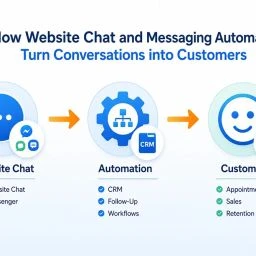
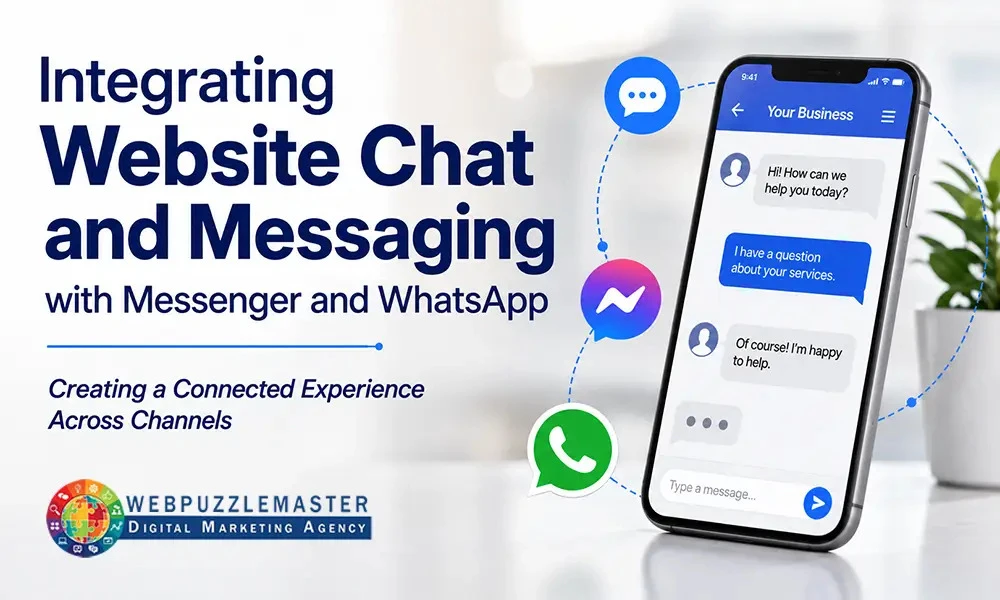
Integrating website chat and messaging means creating a coordinated process for conversations that begin through website chat, Messenger, WhatsApp, or another appropriate channel. Each platform may have different features and limitations, but the customer should experience a clear and logical path to assistance.
A website visitor might begin by asking whether a service is available in their area. They may then provide contact information, receive a response from a team member, and continue the conversation later. If the business loses that context when the conversation moves between platforms, the customer may need to repeat information or wonder whether anyone is managing the inquiry.
A thoughtful approach addresses several practical considerations.
Make channel choice useful, not confusing
Offering multiple communication options can be helpful, but presenting too many buttons, pop-ups, and icons can overwhelm visitors. The right channels depend on the audience, the business, the team’s availability, and the type of questions customers ask.
For example, a professional service firm may benefit from website chat for initial questions and a contact form for detailed consultations. A business serving customers who already use WhatsApp may make that channel prominent on mobile devices. The decision should reflect actual customer behavior and operational capacity—not the assumption that every channel must be included.
Design for mobile conversations
Many messaging interactions begin on mobile devices. Buttons need to be easy to find and use without covering important content or creating accidental taps. Chat windows should load reliably, remain readable, and avoid disrupting the visitor’s ability to navigate the site.
Mobile-first communication also means considering what happens when a visitor leaves the website to continue in an external messaging app. The transition should be understandable, and the customer should know which business account they are contacting.
Capture and route inquiries appropriately
A conversation is more valuable when the business can understand who is contacting it, what they need, and what action should happen next. Depending on the channel and the business model, this may involve requesting a name, email address, phone number, service need, location, or preferred time to respond.
Lead routing can direct inquiries to the right person or team. A request for emergency service may require a different process from a general pricing question. A consultation request may belong in a CRM, while a simple frequently asked question may only require a prompt response.
The process should collect useful information without turning a convenient conversation into a lengthy form. Asking for too much too early can discourage engagement.
Provide continuity across the customer journey
Customers should not have to start over every time they change devices or continue a conversation later. Conversation continuity depends on the tools, account structure, staff process, and information captured during the interaction.
Connecting customer conversations with CRM and marketing automation systems can help centralize relevant contact and inquiry information, but those connections should be implemented carefully. A CRM connection is useful only when the data is accurate, accessible, and tied to a defined follow-up process. Sending every message into a system without clear ownership can create more clutter rather than better visibility.
Set realistic response expectations
A chat icon may suggest immediate availability. If no one is monitoring it, that expectation can damage trust. Businesses should clearly indicate whether chat is live, whether messages are reviewed during business hours, and when a response is likely.
Automated acknowledgments can confirm that a message was received and explain the next step. They should not pretend to be a person or promise a response time the business cannot meet. A concise, accurate acknowledgment is often more helpful than an elaborate automated conversation. Businesses can also explore using AI chatbots to improve customer engagement and business growth when automation can genuinely improve the customer experience.
Protect usability, privacy, and performance
Communication tools should support the website rather than slow it down or interfere with the customer experience. Third-party scripts, widgets, and tracking technologies can affect loading behavior, particularly on mobile devices. They should be evaluated as part of a broader strategy for website performance and customer experience.
Businesses also need to understand how each platform handles personal information, account access, message storage, and permissions. Privacy notices, secure account practices, and appropriate staff access are important parts of responsible implementation. The details will vary by business and jurisdiction, so legal and regulatory requirements should be reviewed where applicable.
Real-World Example
Consider a local service business that receives inquiries through its website, Messenger, WhatsApp, phone calls, and traditional contact forms. Staff members monitor the channels separately, often while handling other responsibilities. Some questions receive a fast response, while others remain unanswered until the next day. When a prospect follows up through a different channel, the team may not realize that it is the same person.
The business begins by mapping its current communication process. It identifies the questions customers ask most often, determines which staff members own each type of inquiry, and selects the channels that fit customer preferences and team capacity. It then adds clear website options for starting a conversation, with mobile usability as a priority.
The business also introduces a simple intake process. Prospects can identify the service they need, and messages are routed according to the type of request. During business hours, staff follow a defined response process. Outside those hours, an acknowledgment explains when the team will review the inquiry and offers an appropriate next step.
Integrating website chat and messaging in this way does not eliminate the need for human judgment. It gives the team a clearer operating structure. Customers have more convenient ways to connect, staff have better visibility into new inquiries, and follow-up becomes less dependent on someone remembering to check several separate platforms.
The resulting improvement is not measured by the number of chat icons displayed on the website. It is evaluated through practical indicators such as fewer missed inquiries, more consistent response handling, cleaner lead information, and a smoother path from initial question to appropriate next action.
Common Mistakes
The following mistakes can undermine an otherwise promising communication strategy:
- Adding every available tool: More channels do not automatically create better service. Each channel requires monitoring, ownership, maintenance, and an appropriate response process.
- Forcing every visitor into one channel: Customers have different preferences and needs. A person seeking a quick answer may prefer chat, while another may want to send a detailed inquiry through a form.
- Leaving chat unattended: A live-looking chat feature can create disappointment when no one responds. Availability should be accurate and clearly communicated.
- Failing to capture useful context: If the business collects no information about the inquiry, staff may struggle to prioritize or follow up effectively.
- Requesting too much information: A long intake form inside a chat experience can defeat the purpose of making contact convenient.
- Creating disconnected conversations: When Messenger, WhatsApp, website chat, and the CRM have no defined relationship, customers may repeat themselves and staff may duplicate work.
- Ignoring after-hours inquiries: Prospects often reach out when the business is closed. An acknowledgment and a clear next step can reduce uncertainty until someone is available.
- Using generic automated replies: Automation should support communication, not make customers feel trapped in irrelevant menus or receive answers that do not address their question.
- Overlooking mobile usability: A communication tool that blocks content, loads slowly, or is difficult to tap can discourage the very engagement it was intended to create.
- Treating setup as the end of the project: Channels, staff responsibilities, response expectations, and customer behavior should be reviewed over time. A communication system needs ongoing refinement.
What You Should Aim For
A successful communication system should make the next step obvious for both the customer and the business. Visitors should be able to identify a convenient way to ask a question without searching through the website or guessing which platform to use.
The experience should be consistent across devices and channels. That does not mean every platform must look or function identically. It means the business should use consistent information, offers, service descriptions, and expectations wherever customers encounter it.
A practical system should also provide:
- Clear channel choices based on customer preferences and business capacity
- Fast, realistic acknowledgment of incoming inquiries
- Defined ownership for monitoring and responding to messages
- Simple lead capture that gathers relevant information without unnecessary friction
- Appropriate routing for sales questions, support requests, appointments, and urgent needs
- Follow-up procedures that prevent conversations from being forgotten
- CRM or automation connections when they solve a defined operational problem
- A mobile experience that is easy to use and does not compromise website performance
- Appropriate privacy, account security, and access controls
- Review processes that use actual inquiry patterns and staff feedback to improve the system
Integrating website chat and messaging should ultimately reduce uncertainty and administrative burden, not add another collection of tools for employees to manage. Small-scale testing can help a business evaluate channel placement, prompts, intake questions, and routing before making a larger investment. The most useful improvements are based on observed customer behavior and operational evidence.
When communication is connected to the broader website and marketing strategy, it can also become part of building stronger visibility across AI search and answer engines, while supporting better conversion paths, more reliable lead handling, and improved customer relationships.
Frequently Asked Questions
1. What is website chat integration?
Website chat integration connects a chat feature to a website so visitors can communicate with a business directly or move into an appropriate messaging channel. It may also connect conversations with lead capture, routing, or CRM processes.
2. Should a business offer both Messenger and WhatsApp?
That depends on customer preferences, geographic relevance, team capacity, and the business’s ability to monitor each channel. Offering both can be useful when both are actively used and supported by a clear response process.
3. How should a business choose messaging channels?
Review where customers already ask questions, which channels staff can reliably monitor, and what types of conversations the business needs to support. Start with the channels that offer the clearest customer and operational value.
4. Why is mobile usability important for messaging?
Many customers initiate conversations from mobile devices. If a chat button is difficult to tap, blocks content, or opens an unclear experience, visitors may abandon the interaction before submitting an inquiry.
5. How quickly should a business respond to messages?
The appropriate response time depends on the business and the type of inquiry. The important point is to set realistic expectations, acknowledge messages when appropriate, and establish internal responsibility for timely follow-up.
6. What should happen to inquiries received after business hours?
An automated acknowledgment can confirm receipt, explain when the business will respond, and provide an appropriate alternative for urgent matters. It should be accurate and should not imply that a person is available when one is not.
7. How can messaging tools capture leads?
They can request limited, relevant information such as a name, contact detail, service need, or preferred callback time. The questions should match the purpose of the conversation and avoid creating unnecessary friction.
8. Can messaging channels connect to a CRM?
Some can connect directly or through integration tools, but the connection should support a defined workflow. Businesses should decide what information belongs in the CRM, who owns follow-up, and how duplicate or incomplete records will be handled.
9. Are automated responses appropriate for customer communication?
Yes, when they acknowledge receipt, answer straightforward questions, guide visitors to the right option, or collect basic information. They should complement human support rather than obscure how customers can reach a person.
10. What privacy and security issues should businesses consider?
Businesses should review platform permissions, account security, message handling, personal-information collection, and applicable privacy requirements. Access should be limited to appropriate staff, with secure account practices in place.
Conclusion
Coordinated website chat, Messenger, and WhatsApp communication can make it easier for prospects to connect and easier for businesses to manage those conversations. The strongest approach begins with customer needs and internal response capacity, then selects the channels, workflows, automations, and integrations that support those needs.
Businesses should avoid adding tools without ownership or a clear purpose. Instead, evaluate where inquiries are being missed, where customers experience friction, and how communication can connect to lead capture and follow-up. When the system becomes part of a coordinated local business growth strategy built around the customer journey, it can support more reliable customer experiences, stronger lead handling, and more consistent revenue opportunities.
How Webpuzzlemaster Can Help
Webpuzzlemaster helps local businesses, professionals, and entrepreneurs build and improve websites as integrated business assets—not isolated online brochures. Our approach considers user experience, conversions, performance, search visibility, security, lead generation, CRM and automation integration, and the customer journey so the website supports measurable business growth.
Delivered by Webpuzzlemaster Digital Marketing Agency, led by Ruth Kuttler, AI Visibility Engineer™ and Digital Strategy Architect.
Your Next Step
Review how customers currently contact your business through the website, Messenger, WhatsApp, forms, and phone. Identify where inquiries are delayed, duplicated, or lost, then map the simplest process for acknowledging, routing, and following up on each type of request. A strategic, evidence-based improvement can reduce friction today while creating a stronger foundation for measurable, predictable, scalable growth.
Find out where your website may be creating friction, missed opportunities, or barriers to better customer engagement.