


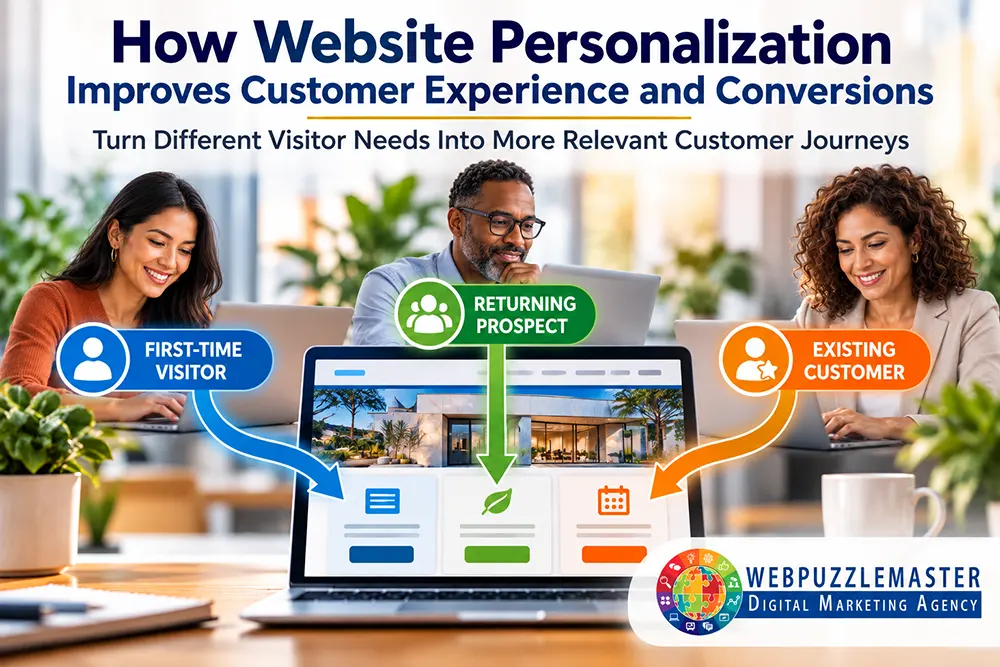
Your website may attract visitors with different needs, priorities, and buying readiness. Yet many business websites give every visitor essentially the same experience—regardless of what brought them there, what they are looking for, or what action would make the most sense for them next.
Understanding how website personalization improves customer experience starts with recognizing that relevance matters. Personalization helps businesses present more useful content, calls to action, offers, and pathways based on what they know about a visitor—making the website easier to navigate while helping qualified prospects move toward the right next step.
Key Takeaways
What You’ll Learn:
- Why a one-size-fits-all website experience can create unnecessary friction for prospective customers.
- How website personalization can make content, messaging, and calls to action more relevant to different visitors.
- How CRM data, visitor behavior, traffic sources, and customer journey stages can support appropriate personalization.
- Why useful personalization should simplify the customer experience rather than make visitors feel tracked or manipulated.
- How personalization can connect website experience, CRM automation, and conversion strategy into a more coordinated customer journey.
- How structured website architecture supports discoverability and user engagement provides the foundation for helping visitors reach relevant content before personalization is added.
Why the Same Website Experience Doesn’t Work for Every Visitor
A first-time visitor arriving from an educational article is not necessarily ready for the same next step as someone returning to a service page for the third time. A current customer may need support or account information, while a new prospect needs to understand whether the company can solve a particular problem. Someone who has already downloaded a resource does not need to keep seeing an invitation to download the same resource.
When websites ignore those differences, visitors have to do more of the work themselves. They must determine what applies to them, find the right next step, and filter through messages meant for other audiences.
For businesses, that creates a disconnect between the sophistication of their marketing and the experience delivered once someone reaches the website. A company may segment contacts in its CRM, track lead sources, automate follow-up, and understand different customer groups—then send all of those people back to an identical website experience.
A website experience designed around customer needs and conversion provides an opportunity to close that gap.
The objective isn’t to create a completely different website for every visitor. It is to identify meaningful differences among visitors and use those differences to make the experience more relevant.
What Useful Website Personalization Actually Means
Website personalization can range from very simple changes to sophisticated dynamic experiences. The appropriate level depends on the business, available data, technology, customer journey, and whether the personalization genuinely helps the visitor.
Examples can include:
- Showing a different call to action to a first-time visitor and a returning prospect.
- Presenting content related to the service or topic that originally brought someone to the website.
- Recognizing that a visitor has already completed a particular form and offering a more appropriate next step.
- Directing existing customers toward support or customer resources rather than continuing to market introductory services to them.
- Adjusting follow-up opportunities according to a prospect’s stage in the buying journey.
- Using geographic or service-area information when location materially affects what the business can provide.
The strategic distinction is important: personalization is not simply changing content because technology makes it possible. Every change should be tied to customer relevance or business objectives.
That is where website personalization becomes part of conversion strategy rather than a collection of clever website features.
Connecting the Website to the Customer Journey
The website becomes far more useful when it doesn’t operate as an isolated marketing asset.
A CRM may already contain information about a contact’s interests, previous interactions, lead status, form submissions, appointments, purchases, or other relevant activity. Website analytics can add another layer of information about how people arrive, which content attracts them, and what they do once they arrive.
When those systems are designed to work together appropriately, businesses can create a more coherent journey.
For example, consider a prospect who downloads an educational report. The CRM records the conversion and begins an appropriate nurture sequence. If that person returns to the website and the same report remains the dominant offer, the business wastes an opportunity. A better experience might present related educational content, an assessment, or another next step appropriate to the prospect’s stage.
This is one reason website personalization improves customer experience when implemented strategically: the customer doesn’t have to repeatedly start over with a business that already has legitimate information about their previous interactions.
Instead, the website can work with CRM and automation systems that create a connected customer experience rather than functioning as an isolated part of the customer journey.
Personalization Should Reduce Friction, Not Create It
More personalization is not automatically better.
There is an important difference between a website that feels relevant and one that makes a visitor wonder, How do they know that about me?
Good personalization uses information proportionately. It helps visitors make decisions, locate useful information, or take appropriate next steps without unnecessarily exposing what the company knows about them.
Businesses should therefore ask three questions before implementing a personalized element:
- What do we actually know about this visitor?
- How does using that information improve the visitor’s experience?
- Does the benefit justify the complexity of implementing and maintaining it?
If the answer to the second question is unclear, personalization probably isn’t necessary.
This also protects businesses from a common technology trap: investing in elaborate automation because the capability exists, not because it solves a meaningful customer or conversion problem.
Practical Example: From Generic Follow-Up to a More Relevant Website Journey
Consider a service business that offers an educational resource to prospects who are not yet ready to schedule a consultation.
A visitor downloads the resource and enters the company’s CRM. Instead of immediately pushing for an appointment, the business uses follow-up content to help the prospect better understand the problem and possible solutions.
When that prospect later returns to the website, the business has several possible choices.
It can continue displaying the same download offer the visitor has already completed. Or, if its website and CRM infrastructure support appropriate personalization, it can recognize the previous interaction and present a more useful next step—perhaps related content, an assessment, a relevant service page, or an opportunity to schedule a conversation when the prospect is ready.
Technology matters, but the strategy matters more.
The real improvement comes from designing the website around the customer’s progression, rather than treating every page visit as an unrelated event. That creates continuity between marketing, website experience, CRM data, and follow-up automation—and gives the business a better foundation for turning interest into meaningful action.
Where Website Personalization Commonly Goes Wrong
Website personalization can improve relevance, but poor implementation can create more friction than it removes. The problem is often not the technology itself. It is using personalization without a clear understanding of the customer, the objective, or the information required to make a useful decision.
Common mistakes include:
- Personalizing without a meaningful purpose. Changing headlines, offers, or page elements simply because technology allows it adds complexity without necessarily improving the experience.
- Using insufficient data to make assumptions. One page visit or one click may not provide enough information to determine what a visitor actually wants.
- Over-personalizing the experience. Revealing too much knowledge about a visitor can feel intrusive rather than helpful.
- Creating too many customer paths. Excessive segmentation can make websites and automation difficult to manage, test, and maintain.
- Ignoring mobile users. A personalized experience still has to work well on smaller screens and across devices.
- Failing to measure results. Businesses need to know whether personalization is improving engagement, conversions, or customer progression, not just changing what visitors see.
Another mistake is treating personalization as a substitute for strong website fundamentals. Dynamic content cannot compensate for confusing navigation, weak messaging, slow performance, poor accessibility, or unclear calls to action.
The foundation still has to work.
What Effective Website Personalization Should Accomplish
Successful personalization should make the customer’s experience feel simpler, not more complicated. When website personalization improves customer experience, it helps visitors find relevant information and appropriate next steps without making the interaction feel unnecessarily complex.
A visitor should quickly understand what is relevant, find the information they need to decide, and encounter a logical next step. Behind the scenes, the business should gain a more coordinated way to connect website behavior with CRM data, automation, and conversion opportunities.
For local businesses, this can be particularly useful when customers have different service needs, locations, or stages of readiness. Connecting personalized website experiences with a broader local business growth strategy built around visibility, trust, and customer action can help ensure that attracting a visitor is only the beginning of the customer journey.
The goal is not maximum personalization. It is appropriate personalization—using enough information to improve relevance without adding unnecessary complexity or compromising customer trust.
That means starting with the most meaningful opportunities, measuring what happens, and refining the experience based on actual customer behavior.
Frequently Asked Questions
1. What is website personalization?
Website personalization is the practice of adapting selected content, messaging, offers, calls to action, or user pathways based on relevant information about a visitor or customer.
2. How does website personalization improve customer experience?
It can reduce unnecessary searching and repetition by helping visitors find information and next steps that better match their needs, interests, or stage in the customer journey.
3. Does a business need a CRM to personalize its website?
Not necessarily. Some personalization can be based on website behavior, referral source, location, or other contextual information. A CRM can make more sophisticated personalization possible when appropriate customer data and website systems are integrated.
4. Can small businesses use website personalization?
Yes. Personalization does not have to involve an expensive or complex technology stack. A small business can begin with a few high-value use cases, such as distinguishing new visitors from returning prospects or presenting different next steps based on previous actions.
5. What information can be used for website personalization?
Depending on the technology and privacy considerations involved, businesses may use information such as previous website interactions, form submissions, customer status, traffic source, expressed interests, location, or stage in the customer journey.
6. Can website personalization hurt conversions?
Yes. Poorly designed personalization can create confusion, make inaccurate assumptions, feel intrusive, or direct visitors toward the wrong action. Test and measure personalization rather than assume it will improve performance.
7. Should every page on a website be personalized?
No. Many pages should provide a clear, consistent experience for everyone. Personalization is most valuable when a meaningful difference in visitor needs justifies changing the experience.
8. How should a business decide what to personalize first?
Start with a known point of friction or a meaningful difference between visitor groups. Identify what information is available, what experience could be improved, and what outcome you can measure before adding complexity.
9. How do CRM automation and website personalization work together?
CRM automation can use known customer information and previous actions to support follow-up and segmentation, while the website can provide an experience that reflects the visitor’s current relationship with the business. Together, they can create greater continuity across the customer journey.
10. How do you measure whether website personalization is working?
Measurement should reflect the personalization objective. Depending on the use case, that could include completed forms, appointments, resource engagement, movement to relevant service pages, qualified leads, conversions, or progression through the customer journey.
Conclusion
Website personalization is most valuable when it solves a real customer problem. It should reduce friction, improve relevance, and help visitors move through the website and customer journey more naturally—not demonstrate how sophisticated a company’s technology has become.
When website personalization improves customer experience while also connecting website activity with CRM data, automation, and measurement, businesses gain something more useful than dynamic content. They create a digital experience that can respond more intelligently to what customers need while giving the business better opportunities to guide and measure meaningful action.
The right starting point is not: How much can we personalize? It is: Where would greater relevance make the biggest difference to our customers and our business?
How Webpuzzlemaster Can Help
Website personalization works best when the website, CRM, automation, content, measurement, and broader digital strategy support one another.
Webpuzzlemaster approaches those elements as parts of an interconnected system. This can include evaluating the website experience, identifying meaningful customer segments and conversion paths, connecting forms and customer interactions to CRM workflows, and determining where personalization can improve the journey without adding unnecessary technical complexity.
The underlying website needs to communicate consistent information about the business, its services, expertise, and relationships—even when selected elements are personalized for different visitors. That clarity helps AI and answer engines understand and evaluate your business while making the customer-facing experience more relevant.
Personalization also depends on attracting the right people in the first place. A strong customer journey begins with being discoverable and providing information that accurately communicates who the business serves, what it does, and why it is relevant. That is why building visibility around clear, useful, authoritative business information and improving the experience after a visitor arrives should be considered together rather than as unrelated marketing activities.
About Ruth Kuttler
Ruth Kuttler, AI Visibility Engineer™ & Digital Strategy Architect, works at the intersection of business strategy, digital visibility, website experience, CRM, automation, and conversion. Her approach focuses on how these systems work together to help businesses attract better prospects, make smarter marketing decisions, and create more effective customer journeys.
Learn more about Ruth Kuttler’s approach to integrated digital strategy and the experience behind Webpuzzlemaster.
Your Next Step
Website personalization works best when it is part of a broader strategy connecting customer data, CRM, automation, website experience, and conversion goals. If those systems are disconnected, personalization can add complexity without improving results.
If you’re ready to explore how those pieces could work together more effectively, start with a Marketing Strategy Consultation.